Slow internet is one of the most common and frustrating problems people face today. Whether you are working remotely, attending online classes, streaming entertainment, or simply browsing the web, poor internet performance can interrupt productivity and cause unnecessary stress. Many users assume that slow speed automatically means their internet provider is at fault, but in reality, a large percentage of speed issues originate inside the home. From router placement to connected devices and outdated settings, several small factors can collectively reduce your internet performance. Understanding these causes and applying simple fixes can significantly improve your experience without spending extra money.
Understanding the Common Causes of Slow Internet at Home
Before applying solutions, it is important to understand why your internet feels slow. Internet speed can be affected by multiple factors at once, making it feel inconsistent or unreliable. One major reason is network congestion, which happens when too many devices are connected at the same time. Another common issue is outdated equipment, such as old routers or damaged cables. Physical obstacles like walls, furniture, and electronic interference can also weaken Wi-Fi signals. Additionally, background applications running on devices may consume bandwidth without your knowledge. Identifying these causes helps you apply the right fix instead of guessing.
Router Placement and Signal Coverage Matter More Than You Think
The location of your router plays a crucial role in determining how strong and stable your internet connection will be. Many people place routers in corners, cabinets, or near the floor, which restricts signal spread. A router should ideally be placed in a central location, elevated, and free from obstructions. Thick walls, metal objects, and electronic appliances can block or weaken signals. If your router is hidden behind furniture or placed near microwaves or cordless phones, the signal may drop significantly. Simply repositioning the router can often result in noticeable speed improvements across your home.
Restarting Equipment as a Simple but Powerful Solution
Restarting your router and modem may sound too simple, but it is one of the most effective fixes for slow internet. Over time, devices accumulate background errors, memory overload, and temporary glitches. A proper restart clears these issues and refreshes the connection to your internet service. Turning off the modem and router for a few minutes before restarting allows them to re-establish a clean connection. Doing this regularly can prevent speed drops and unexpected connection failures.
Managing Connected Devices to Reduce Network Load
Every connected device shares the same internet bandwidth. Smartphones, laptops, smart TVs, gaming consoles, and even smart home devices consume data in the background. When too many devices are active at once, the speed for each device decreases. Streaming in high quality, large downloads, and cloud backups can quietly drain bandwidth. Disconnecting unused devices and limiting background activities can free up internet speed instantly. Assigning usage priorities can also help ensure essential tasks get better performance.
Updating Router Firmware and Device Software
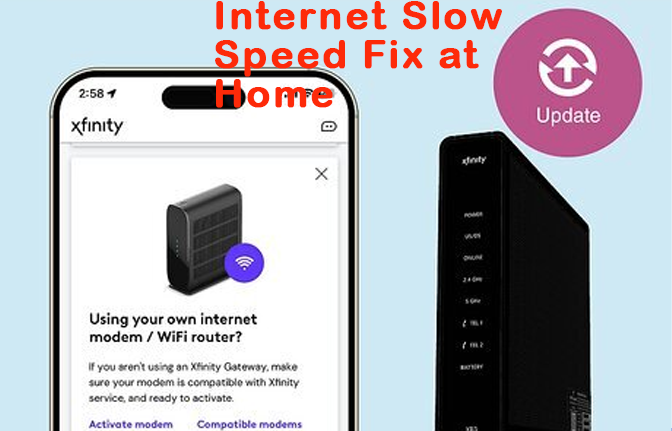
Technology evolves quickly, and outdated firmware can reduce performance and stability. Router manufacturers regularly release updates to improve speed, fix bugs, and enhance security. Many users never update their router firmware, which leads to slower speeds and connectivity issues. Similarly, outdated operating systems on phones and computers may not communicate efficiently with modern routers. Keeping both router firmware and device software updated ensures optimal performance and compatibility across your network.
Choosing the Right Frequency Band for Better Performance
Modern routers usually support multiple frequency bands, commonly 2.4 GHz and 5 GHz. The 2.4 GHz band covers a wider area but offers slower speeds, while the 5 GHz band provides faster speeds over shorter distances. Using the wrong band can result in slow or unstable connections. Devices closer to the router should use the higher-speed band, while distant devices may perform better on the lower-frequency band. Selecting the appropriate band improves speed and reduces interference.
Checking Cables, Connections, and Physical Damage
Wired connections are often more stable than wireless ones, but damaged cables can severely affect speed. Loose connectors, worn-out Ethernet cables, or bent ports can cause interruptions and slow data transfer. Inspecting and replacing old cables can restore lost speed instantly. Even fiber or coaxial cables inside the home may degrade over time. Ensuring all physical connections are secure and undamaged is a critical step often overlooked.
Reducing Interference from Other Electronics
Electronic devices emit signals that can interfere with Wi-Fi performance. Devices such as baby monitors, Bluetooth gadgets, cordless phones, and even LED lights can disrupt wireless signals. Placing your router away from such devices reduces interference and improves stability. Changing the Wi-Fi channel in router settings can also help avoid congestion caused by nearby networks, especially in apartments or densely populated areas.
Using Network Security to Prevent Unauthorized Access
Unsecured networks allow unauthorized users to access your internet, which reduces speed and increases security risks. Weak passwords or outdated encryption methods make it easier for others to connect without permission. Securing your network with strong passwords and modern encryption ensures that only authorized users consume bandwidth. Regularly reviewing connected devices helps identify and remove unknown connections that may be slowing your internet.
Knowing When Equipment Upgrade Becomes Necessary
While many speed issues can be fixed without spending money, outdated hardware has limitations. Older routers may not support modern speeds or handle multiple devices efficiently. If your equipment is several years old and struggles even after optimization, upgrading may be necessary. Modern routers offer better coverage, faster speeds, and advanced features that improve overall network performance. Upgrading strategically can provide long-term benefits rather than temporary fixes.
Building Better Internet Habits at Home
Consistent performance depends not only on hardware but also on usage habits. Scheduling large downloads during low-usage hours, limiting high-resolution streaming when unnecessary, and closing unused apps help maintain stable speeds. Teaching household members basic internet management habits ensures smoother performance for everyone. Small changes in daily usage can collectively improve overall internet experience.
Conclusion
Slow internet at home can be frustrating, but in most cases it is not a permanent problem. By understanding the common reasons behind poor performance and applying simple, practical solutions, you can significantly improve your internet experience without technical expertise. Small actions such as placing your router correctly, managing connected devices, updating equipment, and reducing interference can make a noticeable difference. Regular maintenance and smart usage habits help keep your connection stable and reliable over time. With the right approach and a little attention, you can enjoy smoother browsing, faster downloads, and a more consistent online experience at home.
Must Read: Who Is Shea Whigham? Exploring the Life and Career of a Master Character Actor
FAQs
Why does my internet slow down at certain times of the day?
Internet speed often drops during peak usage hours when many users are online simultaneously, increasing network congestion.
Can router placement really affect performance?
Yes, poor placement can weaken signal strength and cause speed drops due to physical obstructions and interference.
Is restarting my router actually helpful?
Restarting clears temporary errors and refreshes the connection, often improving speed and stability.
Do old cables affect internet speed?
Damaged or outdated cables can reduce data transfer efficiency and cause inconsistent performance.
How often should I check my connected devices?
Reviewing connected devices monthly helps identify unauthorized access and unnecessary bandwidth usage.